Find gifts
Search and filter every gift your church has recorded.
Note. This is for Administrators and Managers. If you're in Member care, you won't see it in your menu. See Roles and what they can do.
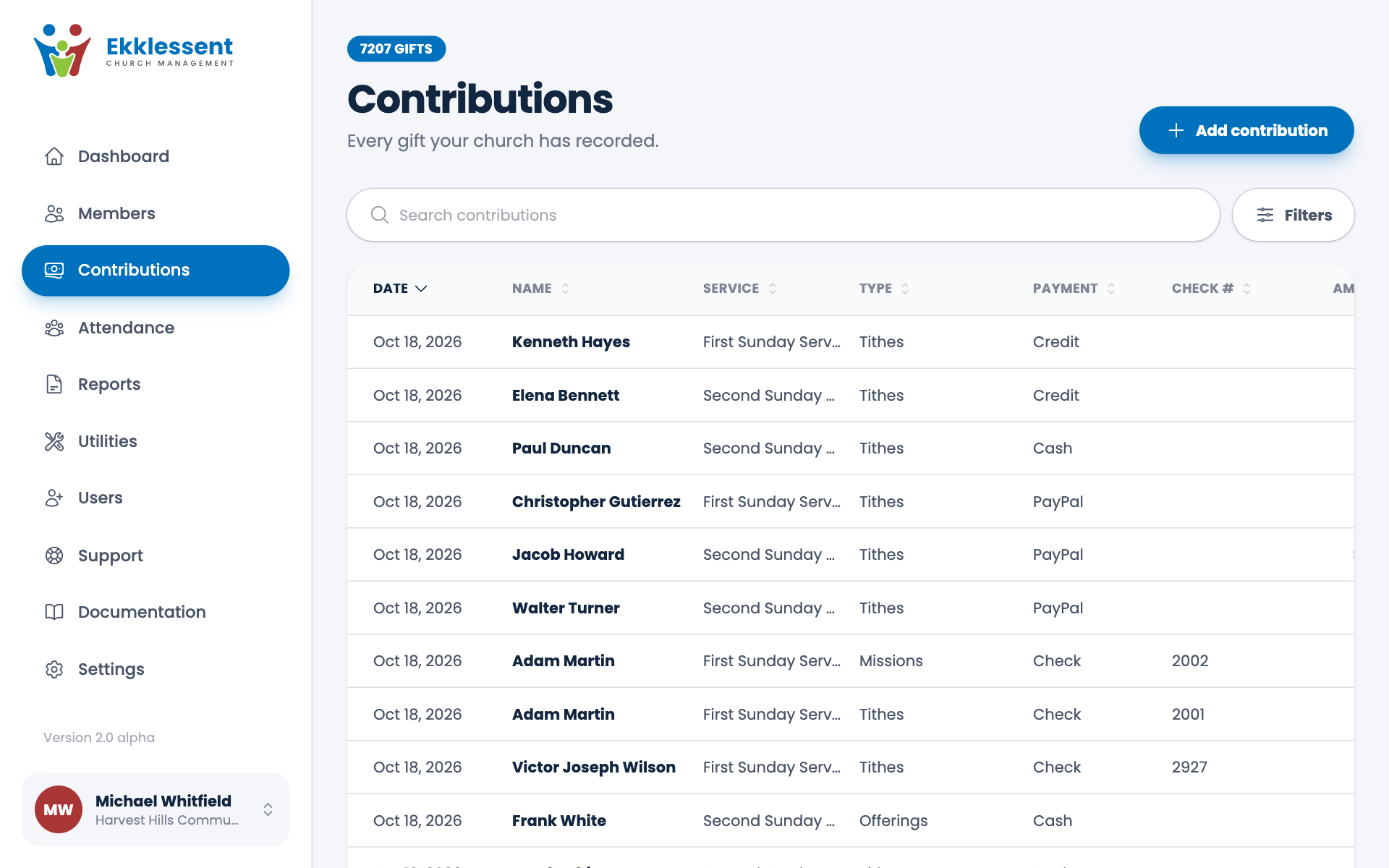
Contributions in the menu lists every gift, newest first, 20 to a page.
The list
Each row shows the Date, the person's Name, the Service, the Type, the Payment, the Check # and the Amount. Choose a column heading to sort by it, and choose it again to reverse the order. Choose a row to open the gift.
Use the page numbers at the bottom to move through the list. The line under the title tells you what the list is showing.
Search
Type in the search box. It looks through the person's name, check numbers and amounts, so you can find "Smith", check number 1042, or 125.00.
Filters
Choose Filters to narrow the list by:
- From and To dates, or a quick range: This month, Last month, This year or Last year.
- Contribution type, Service or Payment type.
Clear filters puts everything back.
A gift for someone who was deleted
If a gift belongs to someone you've since deleted, the row says Deleted beside their name. The gift is still in your records and reports. See Edit or delete a member.
Spotted a mistake, or something that is not clear? Tell us.