Summary report
One page of giving and attendance together, for a board or a business meeting.
Note. This is for Administrators and Managers. If you're in Member care, you won't see it in your menu. See Roles and what they can do.
The summary report puts giving and attendance side by side for a date range. It's the one to bring to a board or business meeting.
Steps
- Choose Reports, then Summary report.
- Set From and To, or choose This month, Last month, This year or Last year.
- Choose Print report. See Printing a report.
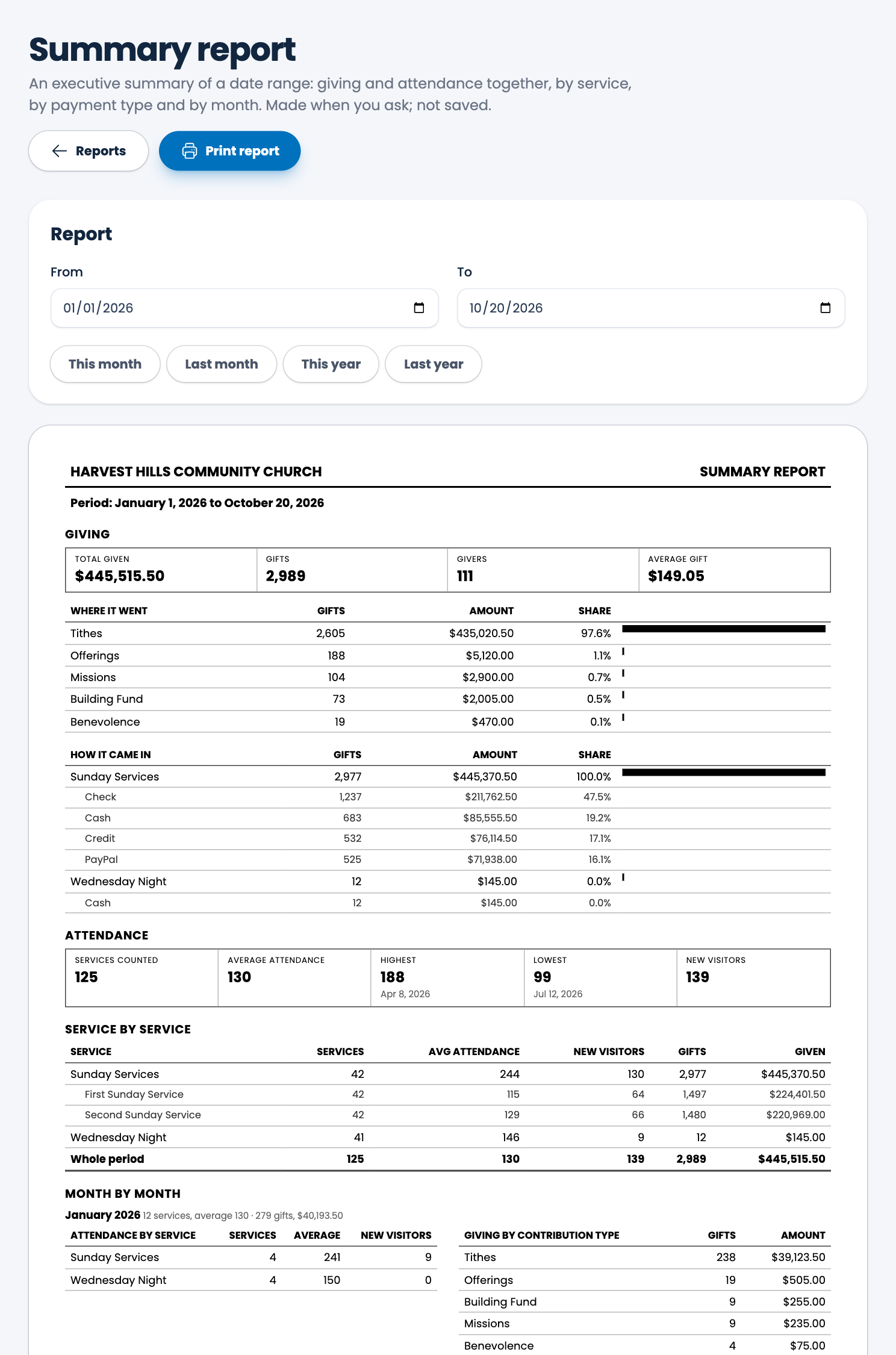
What's on the page
- Giving: total given, gifts, givers and average gift.
- Where it went: each contribution type with its gifts, amount and share.
- How it came in: each service group and its payment types.
- Attendance: services counted, average, highest, lowest and new visitors.
- Service by service: services held, average attendance, new visitors, gifts and amount given, with a total for the whole period.
- Month by month: for each month, attendance by service beside giving by contribution type.
Spotted a mistake, or something that is not clear? Tell us.