Members and visitors
How people are kept in ECM, and the difference between a member and a visitor.
Note. Everyone can add, change and delete members, whatever their role. Where this page talks about gifts, people in Member care don't see them, but the rules are the same. See Roles and what they can do.
Choose Members in the menu to see everyone in your records. Each person has their own record with their name, contact details, address, birthday, anniversary and any notes you want to keep.
Members and visitors
- A member is someone who belongs to your church.
- A visitor is someone who has come to a service but hasn't joined. Visitors show on your dashboard for 30 days after their first visit, so you can follow up.
When a visitor joins, open their record and switch Visitor off, under Dates and notes. They become a member and keep everything you entered.
Finding people
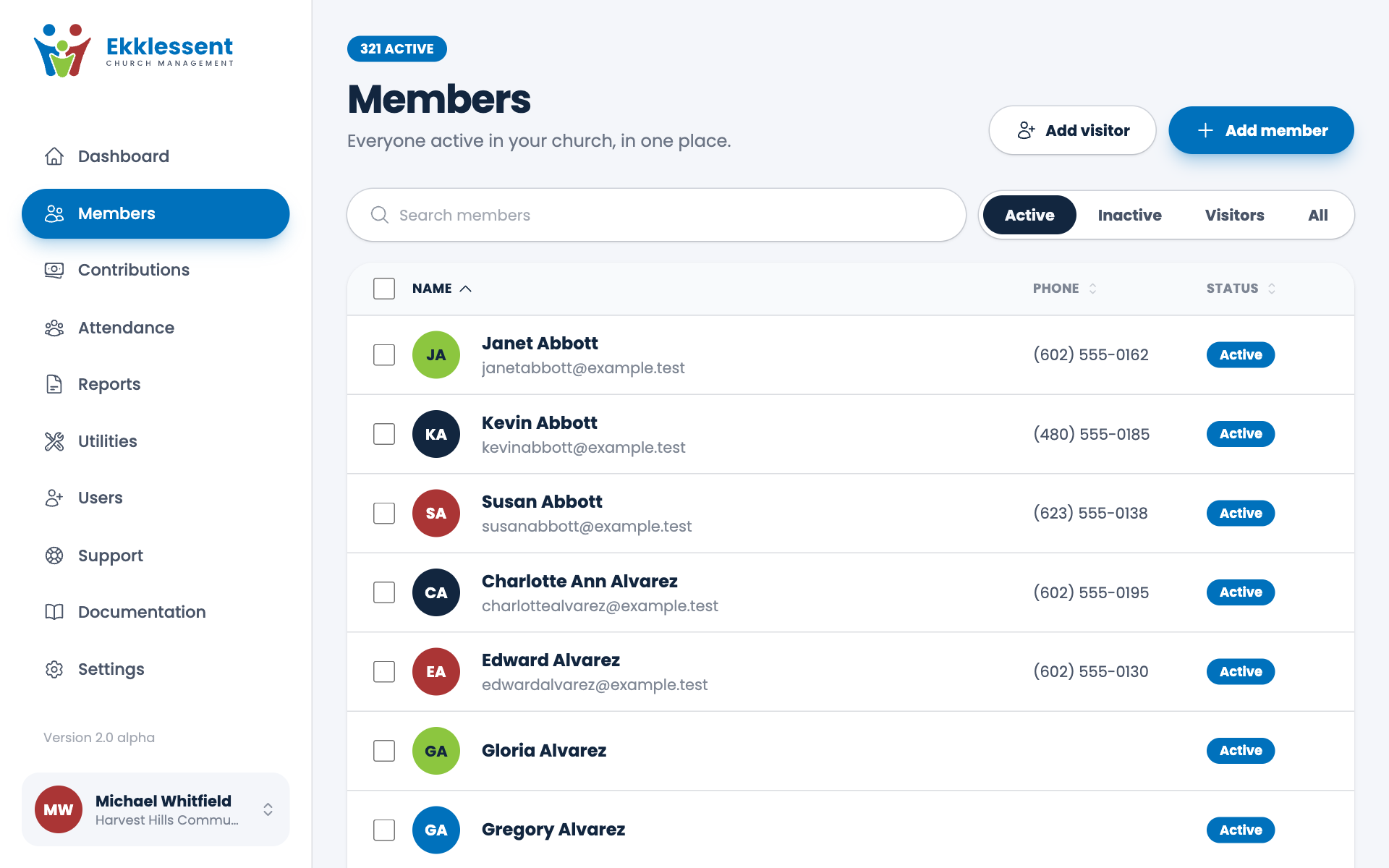
- Use the Show buttons to choose Active, Inactive, Visitors or All.
- Type in the search box. It looks through names, email addresses, phone numbers and addresses.
- Choose a name to see that person's record.
Changing several people at once
Tick the box beside each person, or tick the box at the top to select everyone on the page. A bar appears with what you can do to all of them: Update address, Mark inactive, Mark visitor, Not a visitor or Mark active. If you make a mistake, choose Undo straight away.
Inactive or deleted?
- Inactive is for people who have stopped coming but whom you want to keep. Open their record and switch Active member off, or select them in the list and choose Mark inactive. They leave your main list, stay in the Inactive view, and their gifts stay in your reports.
- Delete is for records you don't want. A deleted person is hidden from your lists. You can restore them for 30 days, and after that they are removed for good. If they have gifts recorded, they stay in your records and reports and can always be restored. See Restore a deleted member.
Tip. If you're not sure, mark someone inactive. You can always make them active again with one click.
Spotted a mistake, or something that is not clear? Tell us.