Record a gift
Enter a gift in a few seconds, and keep going for the next one.
Note. This is for Administrators and Managers. If you're in Member care, you won't see it in your menu. See Roles and what they can do.
Every gift is recorded against a person, with an amount, a date, a contribution type, the service it belongs to, and how it was paid.
Steps
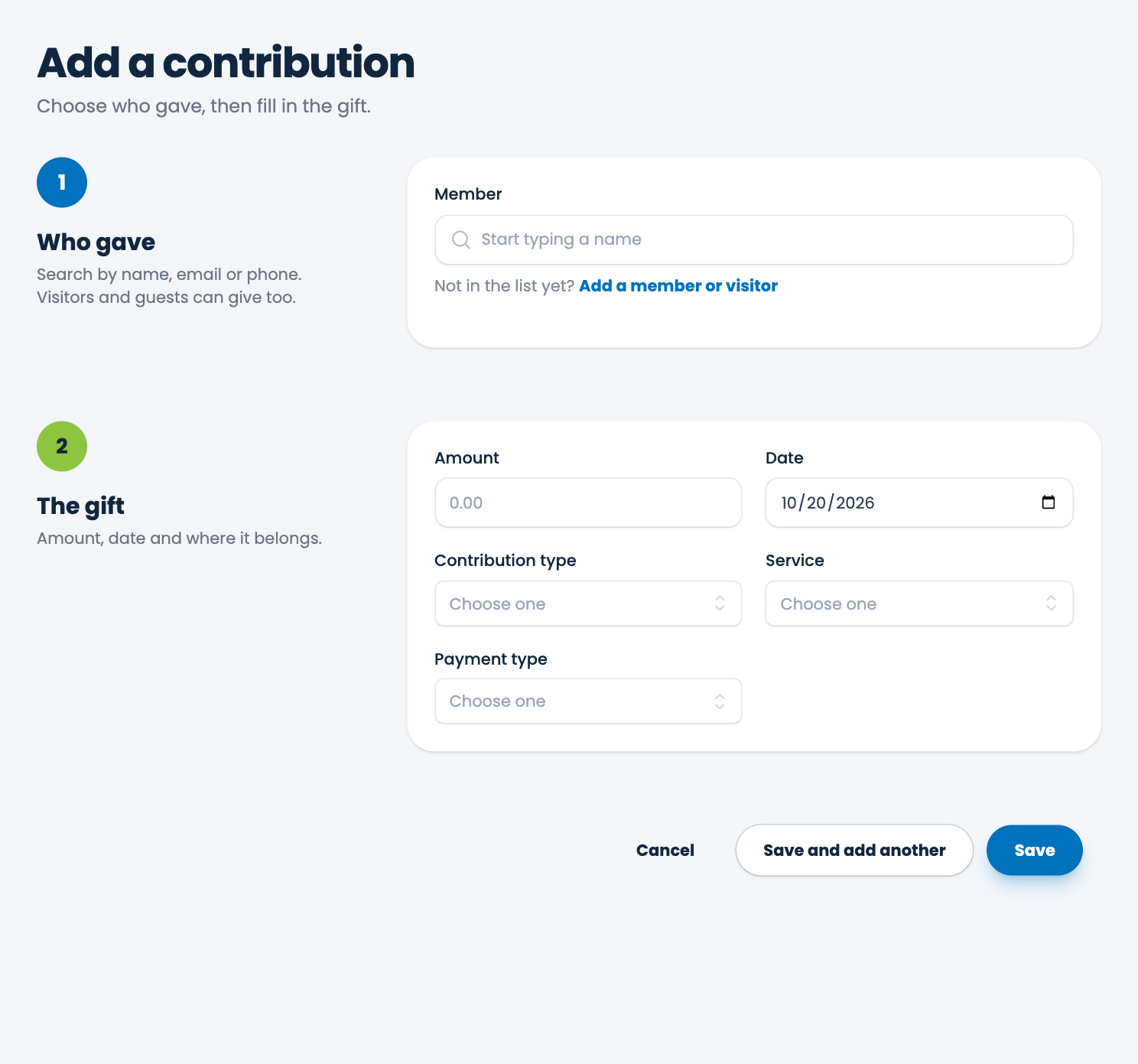
- Choose Contributions in the menu, then Add contribution.
- Under Who gave, start typing a name in Member and choose the person from the list. You can search by name, email or phone, and visitors and guests can give too.
- Under The gift, enter the Amount in dollars, such as 122.53. Check the Date, which starts as today.
- Choose the Contribution type, the Service and the Payment type.
- If the payment is by check, type the Check number. It appears only for payment types that use one.
- Choose Save, or Save and add another to carry straight on with the next gift.
Tip. Save and add another clears the person, the amount and the check number, and keeps the date, contribution type, service and payment type you used. Entering a whole offering takes only a name and an amount for each gift.
If the person isn't in the list yet
Choose Add a member or visitor under the name box. A short form opens inside the page: first and last name, and optionally an email, phone and address. Switch Visitor on if they're visiting: they're marked as a visitor with today as their first visit. Choose Add and choose, and the new person is added to your members and picked for this gift, without losing anything you've already typed.
If someone with the same or a similar name is already in your list, ECM shows them first. Choose Use this one, or Add a new one anyway.
ECM checks for double entry
If an identical gift is already recorded (same person, date, amount, contribution type, service, payment type and check number), ECM says "This looks like a gift you already recorded." Choose Save it anyway if it's real (two identical gifts on the same day do happen), or Cancel if it was a repeat. If you press Save twice by accident, only one gift is recorded.
Rules for the form
- The amount must be more than zero, in dollars and cents, with at most two decimal places.
- The date can't be in the future, and can't be before the year 2000.
- A check number is required for payment types that need one, and it must be digits only, up to 10.
- If a person who was marked inactive gives, ECM marks them active again and tells you.
If a list is empty
If you've no contribution types, services or payment types yet, the form asks you to add one first. They live in Settings. See Contribution types, Service types and Payment types.
Spotted a mistake, or something that is not clear? Tell us.