Giving letter
Write the end-of-year letter each person who gave receives.
Note. This is for Administrators and Managers. If you're in Member care, you won't see it in your menu. See Roles and what they can do.
- Choose Settings, then Giving letter.
- Edit the Letter. It's plain text, and lines stay as you type them.
- Where you want each person's own details to appear, type a merge tag from the Merge tags box:
{first},{last},{street},{city},{state},{zip}: the person's name and address{date}: the date the letter is printed{contribution}: the year's total, without a dollar sign, so type the $ yourself{tax_period}: the year
- Choose Save.
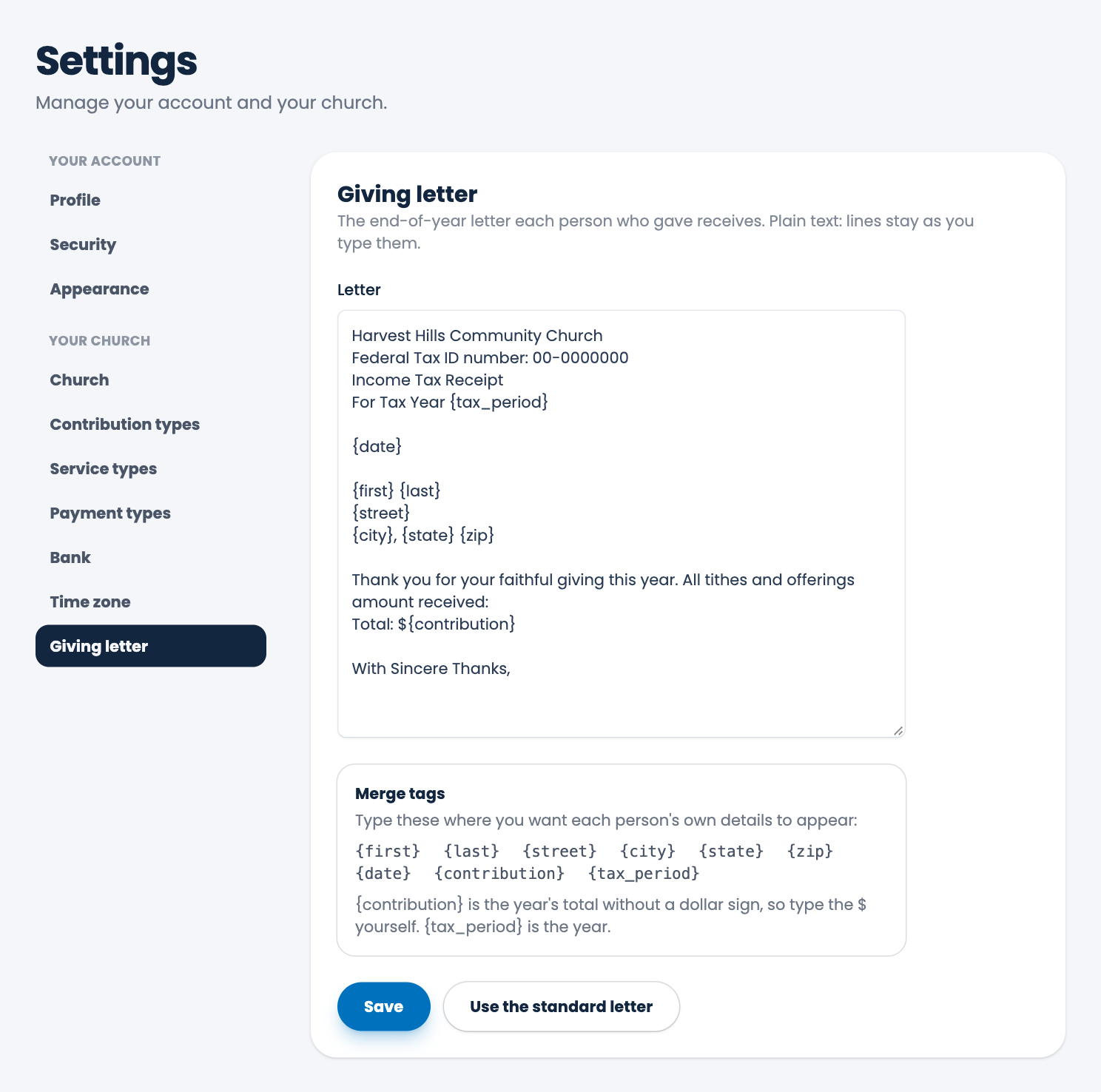
Choose Use the standard letter to go back to the letter ECM starts you with.
Careful. Put your church's tax ID number in the letter only if you have one. The sample number in the standard letter is just a placeholder, so replace it.
To print the letters, see End of year giving letters.
Spotted a mistake, or something that is not clear? Tell us.