Long-inactive members
See who has been inactive for a long time, and tidy your list.
Note. Everyone can use this tool. If you're in Member care, the list doesn't show gifts. See Roles and what they can do.
This page lists inactive members, the longest-inactive first, so you can tidy your list.
Steps
- Choose Utilities in the menu, then Long-inactive members.
- Choose Inactive for at least: 90 days, 6 months, 1 year or 2 years, or type your own number of days.
- Use Search these members to narrow the list.
- Tick the people you want to remove, or tick the box at the top to select everyone on the page. Select all picks every match, even on other pages. Clear starts over.
- Choose Delete selected, then confirm Delete.
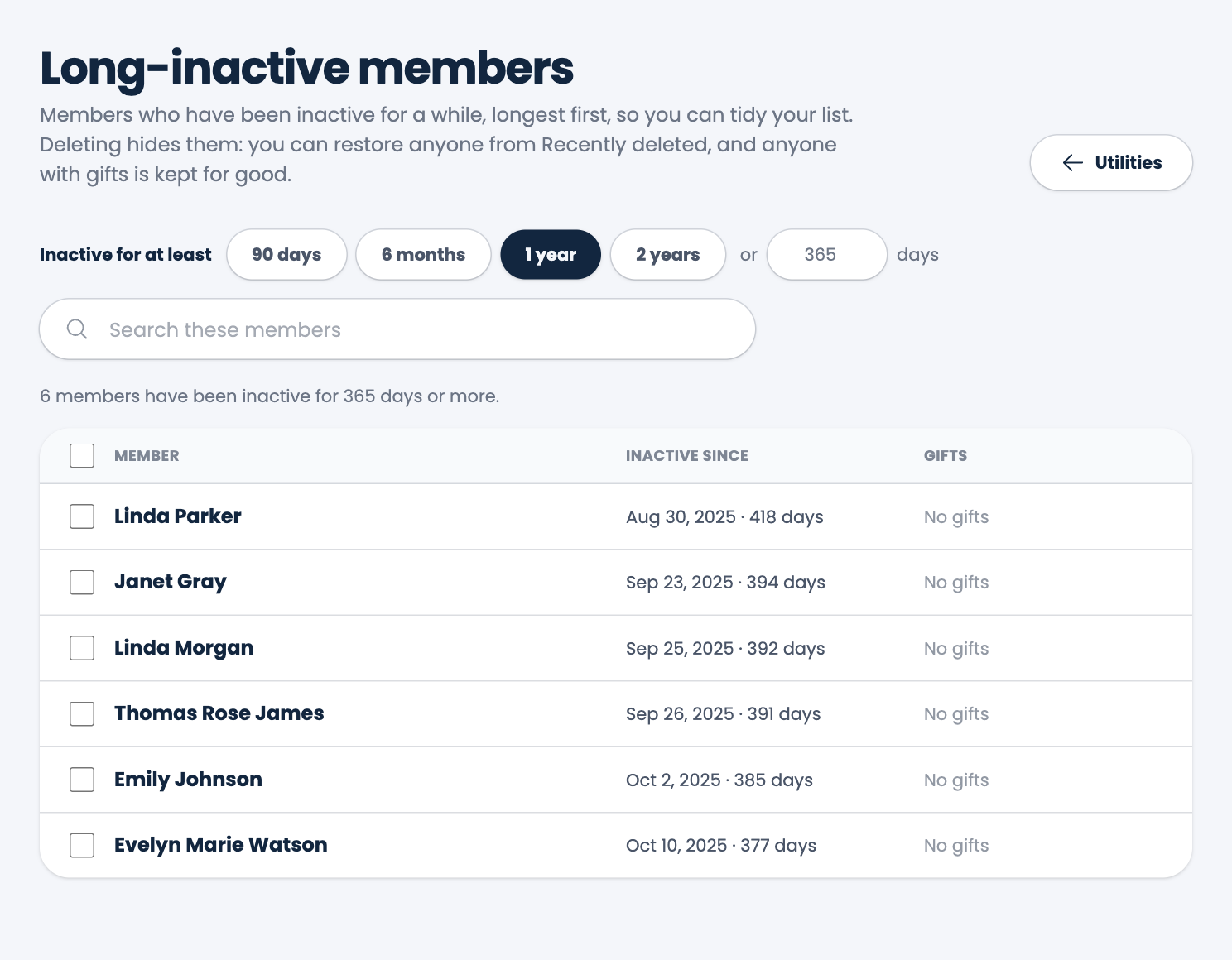
Each row shows when the person became inactive and whether they have gifts.
Deleting only hides them. You can bring anyone back from Recently deleted members. A member who has gifts is never removed for good. See Restore a deleted member.
Spotted a mistake, or something that is not clear? Tell us.