Attendance report
List the counts in a date range, with highest, lowest and average.
The attendance report lists the counts in a date range and works out the average.
Steps
- Choose Reports, then Attendance report.
- Set From and To, or choose This month, Last month, This year or Last year.
- Choose a Service to see just one, or leave it on All services.
- Choose Group by, and Then by, if you want the counts grouped. Leave it on No grouping for one list in date order.
- Choose Print report. See Printing a report.
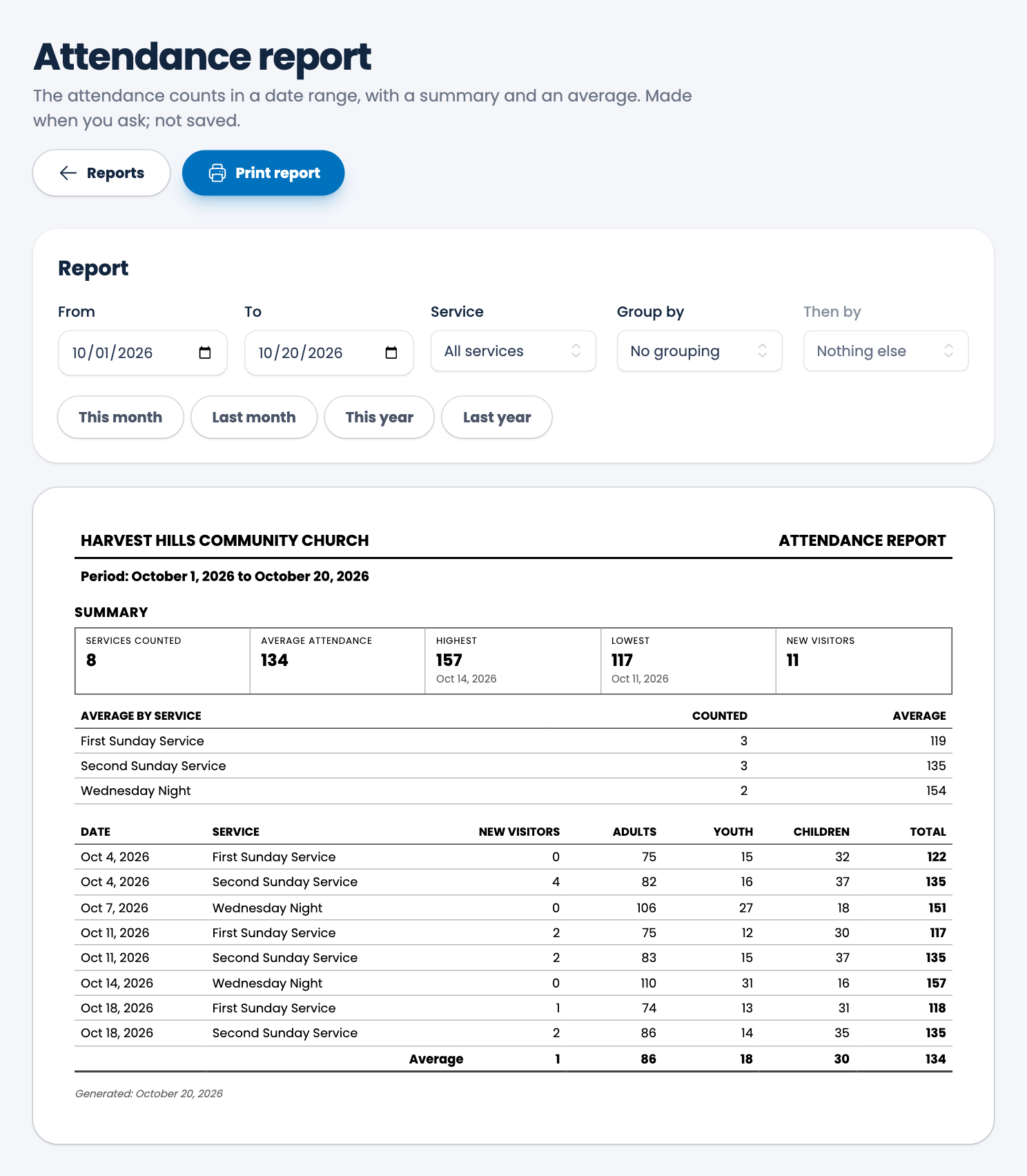
What's on the page
- A summary: Services counted, Average attendance, Highest and Lowest (with their dates) and New visitors.
- Average by service: how many times each was counted, and its average.
- Every count: date, service, new visitors, adults, youth, children and total, with an average row at the bottom.
Only services that were counted are included in the averages. A service with no count isn't treated as zero.
Spotted a mistake, or something that is not clear? Tell us.