Member lists
Make a contact list, phone list, email list, mailing addresses, or a list of birthdays and anniversaries.
The member list report turns your people into a printed list. Start from a Quick start, then change anything you like.
Steps
- Choose Reports, then Member list.
- Under Quick start, choose Contact list, Phone list, Email list, Mailing addresses, Birthdays, Anniversaries or Everything. This sets all the choices below for you.
- Change any of the choices:
- Who: which people to include, such as active members.
- Group by: for example the first letter of the last name, or household.
- Order by: how people are sorted.
- Birthday in and Anniversary in: only people with one in a certain month.
- Details to show beside the name: Phone, Email, Address, Birthday and Anniversary. Choose Leave out people with none of these to skip people who have nothing to show.
- Choose Print list. See Printing a report.
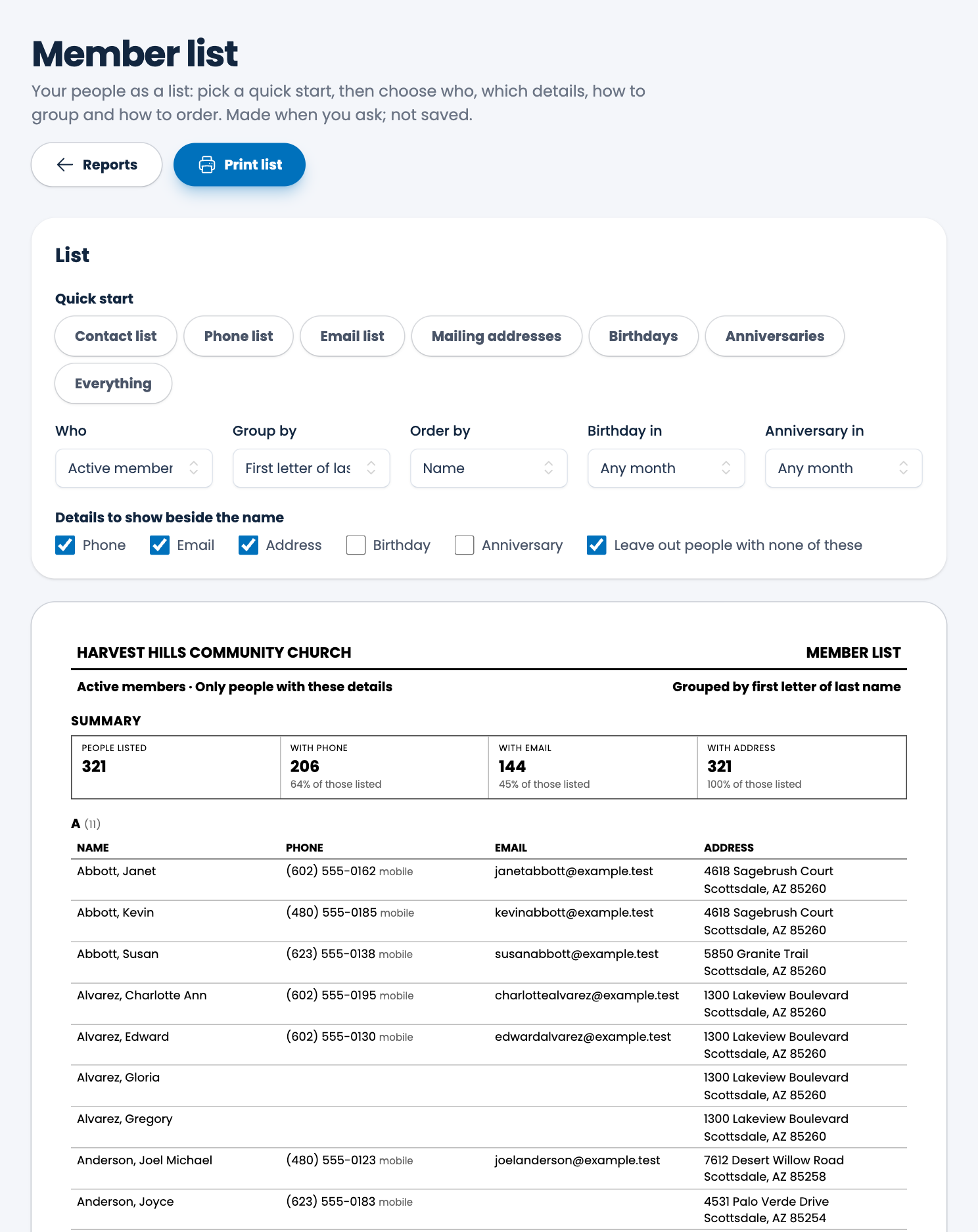
A summary at the top shows how many people are listed and how many have a phone, an email and an address.
Tip. Choose Birthdays, then pick a month under Birthday in, for a list to put on the bulletin board.
Spotted a mistake, or something that is not clear? Tell us.